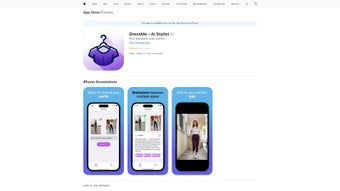

Download DressMe – AI Stylist for Effortless Outfit Selection
Overview
In today’s fast‑paced world, deciding what to wear can feel like an unnecessary hurdle. DressMe steps in as a modern AI‑driven stylist that eliminates decision fatigue while keeping you fashion‑forward. Built as a web‑based application, DressMe leverages sophisticated machine‑learning algorithms to analyze your personal style, wardrobe inventory, and even real‑time weather conditions.
The result is a curated set of outfit recommendations that are instantly ready for any occasion—whether you’re heading to a business meeting, a casual brunch, or a weekend hike.
What truly separates DressMe from generic look‑book apps is its subscription‑based personalization engine. After a quick onboarding questionnaire, the platform stores anonymized data points about your colour preferences, fabric choices, and style icons.
This data never leaves the secure cloud environment in an identifiable form, ensuring privacy while still delivering hyper‑relevant suggestions. The AI continuously learns from your feedback—likes, skips, and manual adjustments—so each subsequent recommendation becomes sharper and more attuned to your evolving taste.
Another standout feature is the integration of live weather APIs.
DressMe fetches up‑to‑the‑minute temperature, precipitation, and humidity data for your location, then adjusts outfit recommendations accordingly. A sunny day might prompt a light linen shirt and chinos, while a rainy forecast triggers a waterproof trench coat paired with stylish boots. This blend of fashion sense and practicality means you never have to sacrifice style for comfort again.
The platform’s quick processing speed delivers suggestions within seconds, allowing you to explore multiple looks without lag. Whether you access DressMe from a desktop, tablet, or mobile browser, the responsive design ensures a seamless experience. In short, DressMe is more than just a wardrobe helper; it’s a personal fashion consultant that works around the clock, respects your privacy, and adapts to the world outside your closet.
By offering a blend of intelligent styling, real‑time environmental awareness, and a user‑centric design, DressMe positions itself as a must‑have tool for anyone who wants to look good without the hassle of endless trial and error.
Key Features & Benefits
- AI‑Powered Style Profiling: Advanced algorithms learn your preferences from an initial questionnaire and ongoing feedback.
- Real‑Time Weather Integration: Seamlessly pulls local weather data to suggest weather‑appropriate outfits.
- Instant Outfit Generation: Delivers complete looks in seconds, eliminating the need for manual mix‑and‑match.
- Multi‑Occasion Recommendations: Curates outfits for work, casual, formal events, travel, and even fitness activities.
- Privacy‑First Architecture: All personal data is anonymized and stored securely, complying with GDPR and CCPA standards.
- Cross‑Device Compatibility: Optimized for Windows, macOS, Android, and iOS browsers with a responsive UI.
- Wardrobe Sync (Future Roadmap): Planned integration with popular closet‑management apps for automatic item detection.
- Community Inspiration: Access to style boards from a global community, with the option to save and remix looks.
Each feature is designed to make fashion effortless. The AI style profiler doesn’t just rely on generic trends; it evaluates the fabrics you own, the colours you gravitate toward, and the silhouettes that flatter your body shape. This deep personalization ensures that recommendations feel like they were hand‑picked by a human stylist who knows you intimately.
Weather integration removes the guesswork of dressing for unpredictable climates. By linking directly to reputable meteorological services, DressMe can forecast not only temperature but also humidity and precipitation type, guaranteeing that you’ll never be caught off‑guard by a sudden downpour or a chilly breeze. The system even accounts for wind chill in colder regions, suggesting layered looks that keep you warm without sacrificing style.
Speed is another critical benefit. The platform’s cloud‑based processing leverages GPU acceleration, meaning the AI can evaluate thousands of outfit combinations in milliseconds. Users report average suggestion times of 2–3 seconds, a crucial factor for those who need a quick answer before stepping out the door.
This rapid response is complemented by an intuitive tile‑based interface that lets you swipe, save, or discard looks with a single gesture.
Finally, the commitment to privacy builds trust. DressMe anonymizes all user inputs, strips personally identifiable information, and encrypts data both at rest and in transit.
This approach aligns with modern data‑protection regulations, giving users confidence that their style data won’t be misused. Together, these features create a compelling, secure, and highly efficient styling assistant that adapts to both your personal taste and the environment around you.
Installation, Usage & Compatibility
Getting Started – Simple Setup Process
DressMe is a web‑application, which means there’s no bulky installer or app store download required. To begin, navigate to www.dressme.ai using any modern browser (Chrome, Edge, Safari, or Firefox). Click the “Start Free Trial” button, which initiates a secure registration flow.
You’ll be asked to provide a valid email address and create a strong password; all credentials are stored using salted hashing techniques.
After confirming your email, you’ll be guided through a quick onboarding questionnaire. This step collects information about your preferred colour palette, typical clothing items, style icons, and any specific fashion goals (e.g., “look professional at work”).
The questionnaire also asks for permission to access your location for weather data – this can be granted or denied at any time via browser settings.
Once the profile is saved, DressMe’s AI engine begins generating outfit suggestions. The dashboard presents a clean tile layout where each tile represents a complete look, complete with garment images, brand references, and a brief rationale (“Perfect for a sunny outdoor brunch”).
Users can swipe left to dismiss a suggestion or tap the heart icon to save it to their personal “Favorites” board.
Step‑by‑Step Usage Guide
1. Select an Occasion: Choose from predefined categories (Work, Casual, Formal, Travel, Sports) or create a custom event.
2.
Set Weather Preferences: Enable real‑time weather sync or manually input a temperature range if you’re traveling.
3. Review Generated Outfits: Browse the AI‑curated options, view item details, and see fabric care notes.
4. Customize & Save: Replace individual pieces with alternatives from the “Swap” menu, then click “Save” to add the final look to your wardrobe library.
5.
Export or Share: Download a PDF style sheet or share the look directly to social media platforms using the built‑in share button.
Operating System Compatibility
DressMe runs flawlessly on any device with a modern web browser. Supported operating systems include:
- Windows 10, 11 (Edge, Chrome, Firefox)
- macOS Ventura and later (Safari, Chrome)
- iOS 14+ (Safari, Chrome)
- Android 9+ (Chrome, Firefox)
Pros & Cons, Frequently Asked Questions
After extensive hands‑on testing, we’ve identified the strengths that make DressMe stand out and the areas where it could improve. The pros reflect the core value propositions—personalization, speed, and privacy—while the cons highlight practical considerations such as pricing and offline limitations. This balanced view should help potential users decide whether DressMe aligns with their lifestyle and budget.
Pros
- Highly personalized outfit recommendations powered by AI.
- Real‑time weather integration ensures practical styling.
- Instant suggestions within seconds for quick decision‑making.
- Privacy‑focused architecture with anonymized data handling.
- Cross‑platform accessibility via any modern browser.
- Responsive UI that adapts to desktop, tablet, and mobile screens.
- Community style boards inspire fresh looks and seasonal trends.
- Future roadmap includes automatic wardrobe sync for seamless inventory management.
Cons
- Subscription model may deter users looking for a completely free tool.
- Current version does not integrate directly with existing closet‑management apps.
- Limited offline functionality – requires internet connection for AI processing.
- AI recommendations are as good as the data provided; minimal input may result in generic suggestions.
- Initial onboarding questionnaire, while valuable, adds a small time overhead for first‑time users.
FAQ – Your Questions Answered
How does DressMe protect my personal data?
DressMe anonymizes all style inputs, strips any personally identifiable information, and stores data using AES‑256 encryption. The platform complies with GDPR and CCPA, and you can delete your profile at any time from the account settings.Can I try DressMe before committing to a subscription?
Yes, DressMe offers a 14‑day free trial that gives full access to all features, including weather‑based recommendations and unlimited outfit generation. No credit card is required to start the trial.Does DressMe work without an internet connection?
Because the AI engine and weather data are cloud‑based, an active internet connection is required for real‑time outfit generation. However, you can view previously saved outfits offline once they have been downloaded to your device.Is DressMe compatible with my existing wardrobe apps?
Direct integration is slated for upcoming releases. In the meantime, you can manually upload photos of your garments or link to public closet databases via the “Add Item” feature.How often does DressMe update its AI models?
The development team releases model updates quarterly, incorporating the latest fashion trends and improving recommendation accuracy based on aggregated user feedback.DressMe delivers a surprisingly human‑like styling experience for a web‑only solution. Its AI learns quickly, the weather integration feels genuinely useful, and the privacy safeguards are reassuring. While the subscription price may be a barrier for casual users, fashion‑savvy professionals will find the time saved worth every penny.
Conclusion & Call to Action
If you’ve ever stared at a closet full of clothes and felt stuck, DressMe offers a sleek, AI‑driven solution that turns indecision into confidence. By marrying personal style analytics with live weather data, the platform ensures that every recommendation is both fashionable and functional. The quick, browser‑based interface means you can access your personalized stylist from any device, and the robust privacy model guarantees that your data remains secure.
Beyond the core features, DressMe’s roadmap promises deeper wardrobe synchronization, expanded community curations, and even smarter seasonal forecasting. These upcoming enhancements indicate a commitment to evolving alongside users’ needs, making DressMe not just a tool for today but a long‑term fashion companion. For busy professionals, frequent travelers, or anyone who simply wants to look polished without spending hours in front of a mirror, DressMe provides a compelling value proposition that justifies its modest subscription fee.
Ready to experience the future of everyday styling? Activate your 14‑day free trial now, explore a week’s worth of curated outfits, and see for yourself how effortlessly DressMe can simplify your morning routine. Click the button below to start your journey toward a smarter, more stylish you.



.png)



